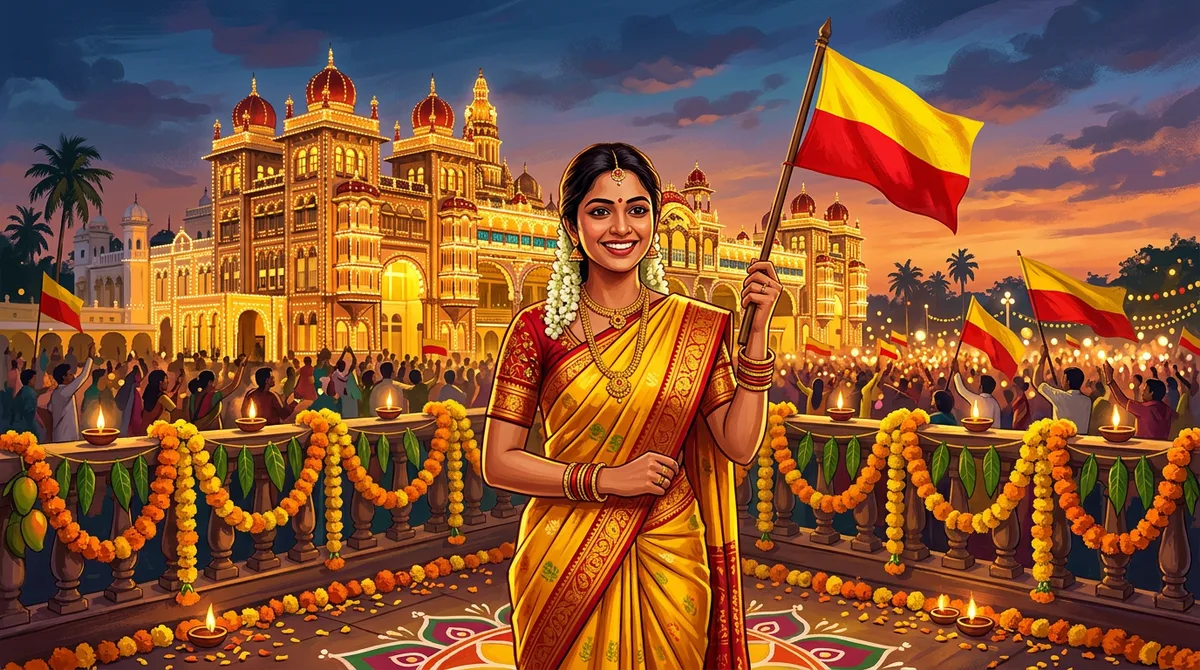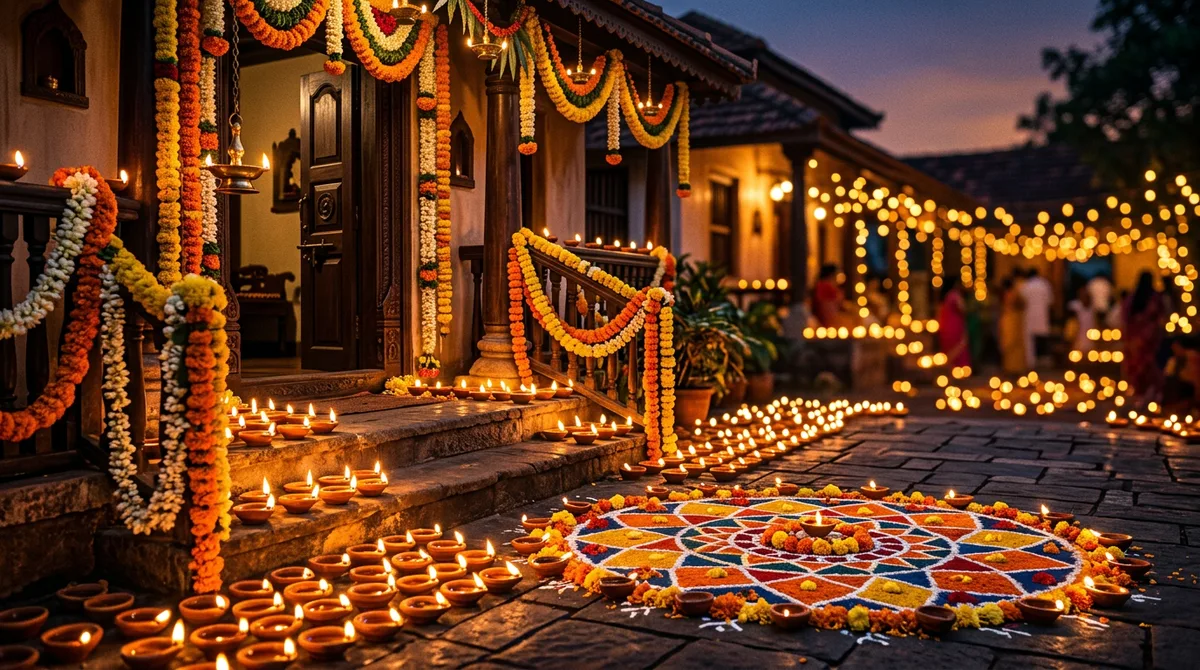
Every Deepavali my gallery fills with the same thing: orange-tinted selfies where the diya looks like a yellow sticker. When I sat down to write proper Deepavali AI photo prompts, I wanted flame light that actually falls on a face, silk that looks like silk, and a rangoli that does not melt into the floor.
Below are three prompts I ran myself, the images they produced, and the small wording choices that made the difference. Deepavali falls in the second week of November this year, so you have time to test them. The examples were generated without a reference photo; with your own photo in Gemini or ChatGPT the face will follow your picture, but the lighting and clothing will behave the same way.
Why most Deepavali AI photo prompts look fake
The typical prompt is “Diwali portrait, diyas, glowing lights, 4k”. The model hears “glow” and paints it everywhere: on the skin, the walls, the sky. Nothing in the picture has a light source, so nothing has a shadow.
The fix is the same structure I explained in how to write AI image prompts: subject, clothing, place, one clear light source, and what you do not want. For Deepavali, the light source is the whole point. Name it, and say where it sits.
Prompt 1: the diya portrait
This is the one most people want. The trick is giving the flame a job: it lights the face from below and the rest of the scene stays in cooler evening blue, so the warm light has something to contrast against.
Realistic portrait photo of a young woman in a deep green Mysore silk saree with a gold zari border, holding a lit brass diya in both hands, face softly lit by the flame, rangoli and marigold garlands blurred behind her, evening blue hour, 85mm lens, shallow depth of field, natural skin texture, no text, no watermark
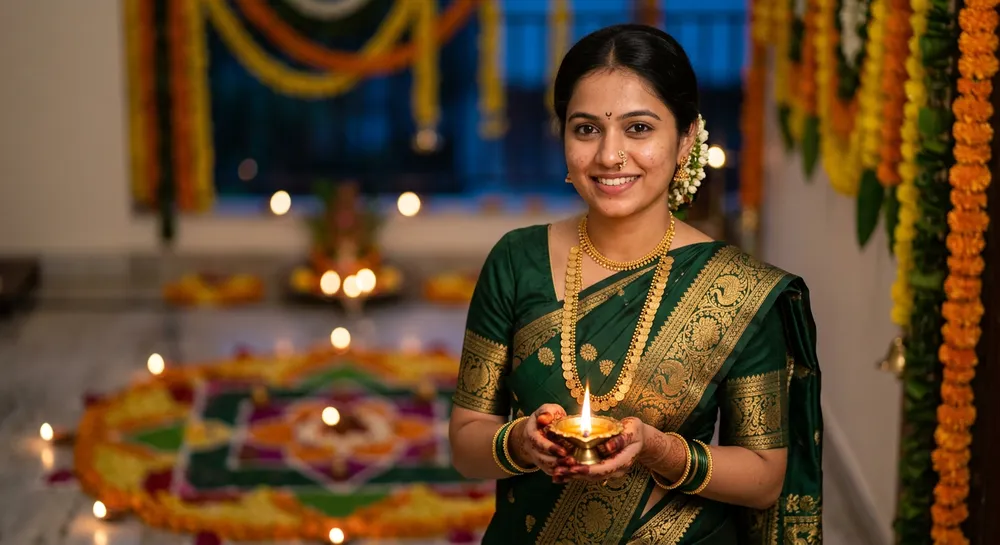
Two phrases carry this prompt. “Blue hour” gives the background its cool tone, and “natural skin texture” stops the plastic smoothing that AI portraits fall into. Remove either and the picture drifts back toward the orange blob.
Prompt 2: the rooftop sparkler shot
Sparklers are hard because the spark is the brightest thing in the frame and the model wants to blow out everything around it. I solved it by describing the city behind him as lights, not as a scene.
Realistic candid photo of a young man in a cream kurta with a maroon angavastram lighting a small sparkler on a rooftop at night, city lights bokeh behind him, warm sparkler glow on his face, 50mm lens, natural skin, no text, no watermark
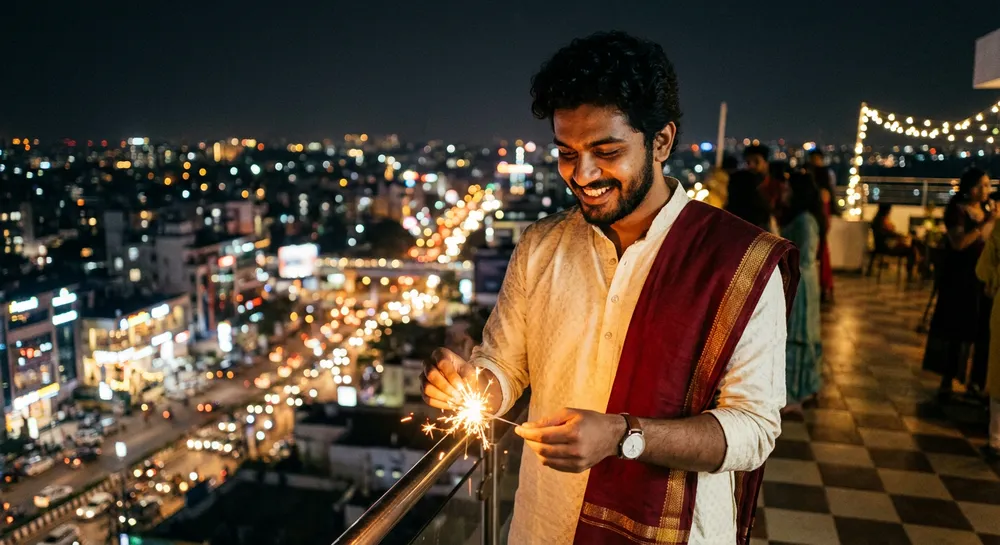
“Candid” matters here. Without it you get a stiff, camera-facing pose. With it, the model looks down at the sparkler, which is what real Deepavali photos look like.
Prompt 3: the family rangoli photo
Group photos are where AI usually breaks: extra fingers, merged faces, mismatched clothes. Keep the group small, seated, and given one shared action.
Realistic family photo of a Kannada family of four in traditional silk clothes sitting on the floor around a large colourful rangoli decorated with diyas, the mother lighting a brass lamp, plate of sweets in front, warm evening light, joyful, 35mm lens, no text, no watermark
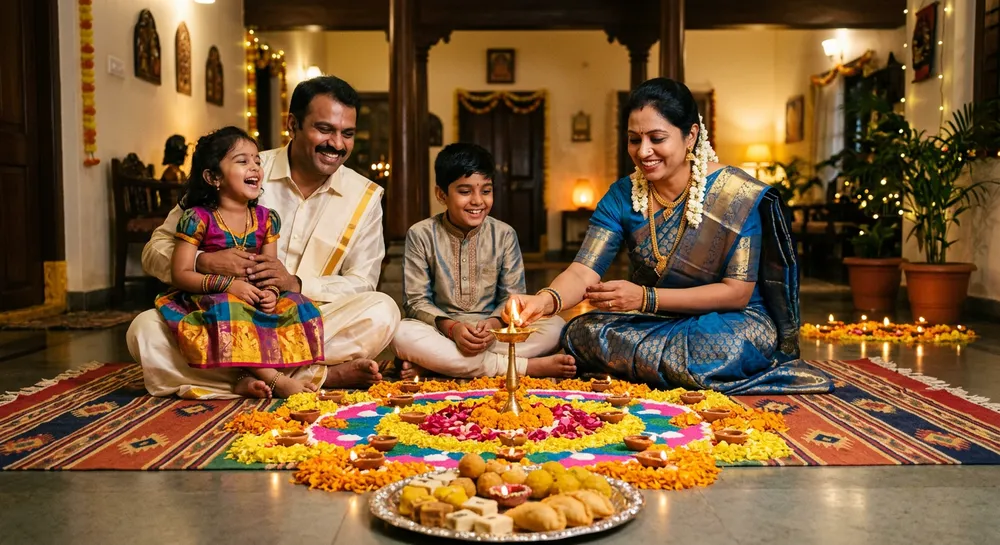
The shared action, lighting the lamp, keeps everyone’s hands busy and pointed in the same direction. That alone removes most of the awkward-hands problem. If you want a tighter family look, add the colours of each outfit; I covered that kind of detail in the old photo restoration prompt post.
Small tweaks that change the mood
Once a prompt works, I change one thing at a time. That is the only way to learn what each phrase does. These are the swaps I tried on the diya portrait, and what they did.
- Blue hour to golden hour. The background turns warm and the flame stops standing out. Good for a softer, wedding-album feel, worse for drama.
- 85mm to 35mm. You see more of the doorway and rangoli, but the face gets smaller. Use it when the setting is the story.
- Adding “marigold and mango leaf toran above the door”. A very South Indian detail that makes the picture feel like a real home entrance rather than a stock festival scene.
- Adding “film grain, slightly underexposed”. The image gets a candid, phone-night-mode look instead of a studio look.
- Changing the saree colour. Deep green and maroon gave the richest result for me. Pale yellow washed out against the flame.
Keep a note of the version you like. I paste mine into a notes app and only edit the clothing line and the location line for each new photo.
Before you post it
Zoom in on the hands, the earrings and the flame. Those are the three places a bad generation hides. If a finger is wrong, rerun rather than patch. If the face looks slightly off, a light touch in Snapseed, which I explained in the Selective tool guide, can fix brightness on just the face without touching the glow.
Common mistakes with Deepavali AI photo prompts
- Asking for “glowing everything”. Pick one light source and name it.
- Too many people. Past five faces, quality drops. Generate two smaller photos instead.
- Vague clothing. “Traditional dress” gives a costume. “Green Mysore silk saree with gold zari border” gives a saree.
- Forgetting the negative line. “No text, no watermark” stops fake festival greetings appearing in the corner.
- Using the first result. I regenerate two or three times. The second or third usually has the best hands.
How to use these with your own photo
- Open Gemini, tap the plus icon and upload a clear, front-facing photo.
- Paste the prompt and add “keep my face and features exactly the same” at the start.
- Check the result at full size, especially hands and the flame.
- If the face drifts, rerun the same message instead of rewriting it.
The official Gemini app handles photo uploads on the free tier, though limits vary by account and region, so check yours before a big batch.
FAQ
Can I use these Deepavali AI photo prompts in ChatGPT?
Yes. The prompts are plain English descriptions, so they work in any image generator. Results differ slightly in style.
Why does the diya look like a yellow blob?
You probably said “glowing” without naming the flame as the light source. Say “face softly lit by the flame”.
How do I keep my own face?
Upload your photo and start with “keep my face and features exactly the same”. Use a sharp, evenly lit original.
Are the example images real photos?
No. They are AI-generated and labelled that way, so please do the same if you share yours.
Try the diya portrait first, change the saree colour to match your own, and see how the flame light behaves. That one change teaches you most of what the other two prompts show.