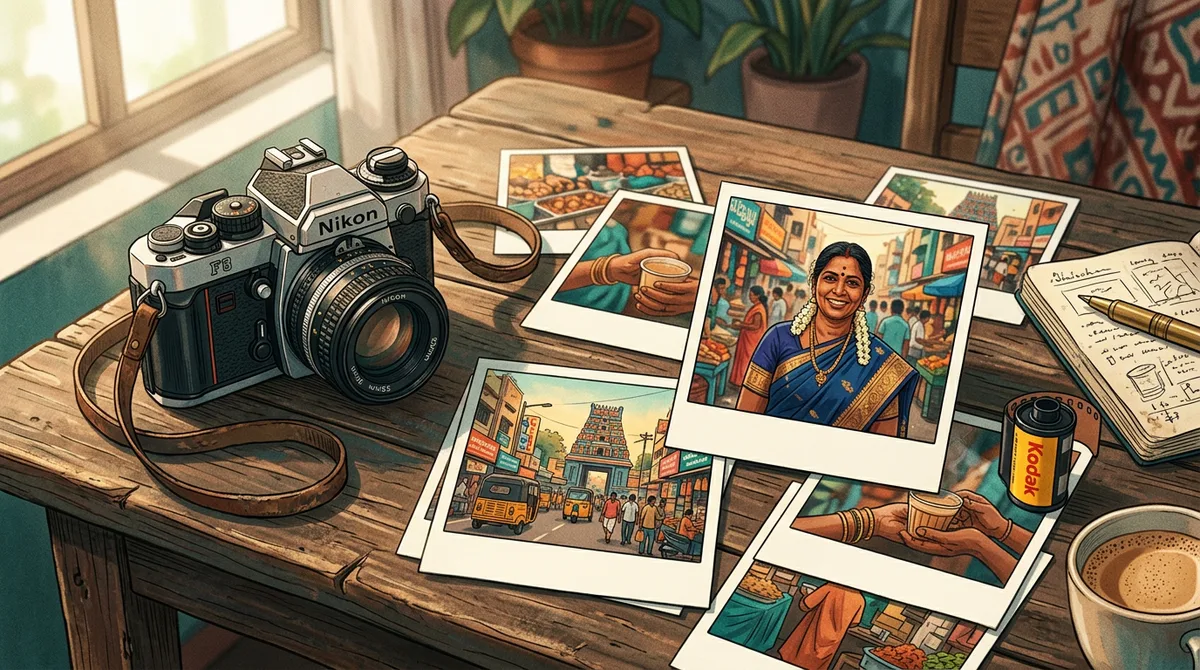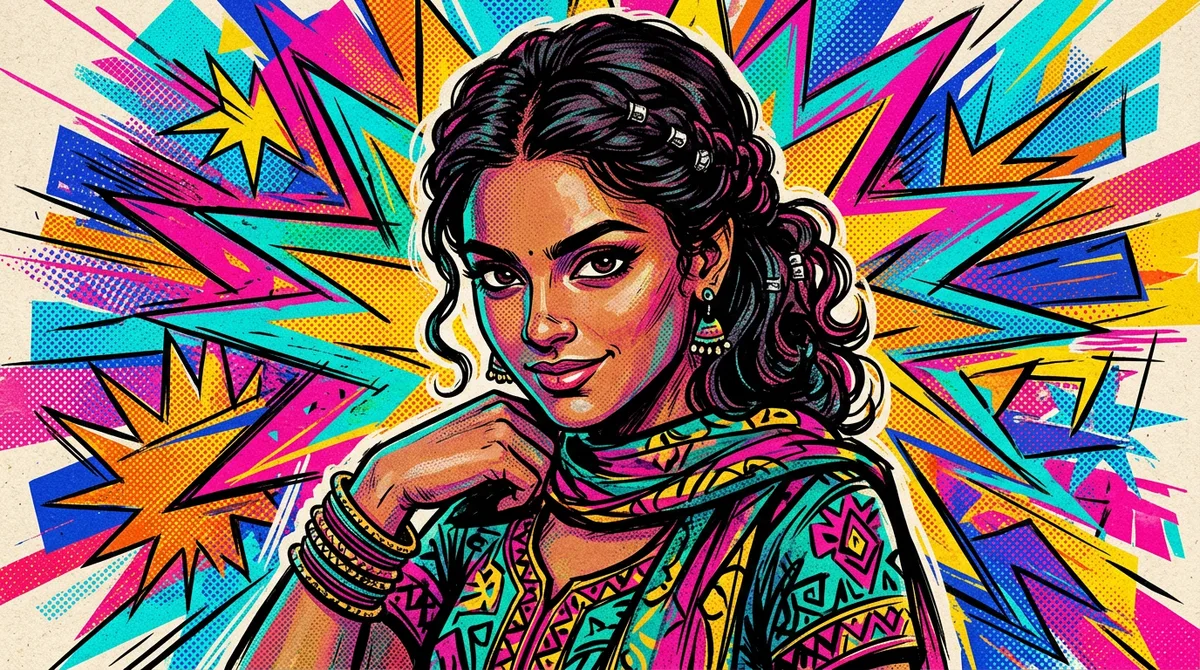
A good Gemini comic book prompt can turn an ordinary portrait into a bold panel with thick ink lines and halftone dots, in about a minute. No drawing skill is needed, only the right words.
I spent a few evenings testing comic prompts on saree portraits, palace backgrounds and travel shots. The first results were either too smooth, like a filter, or full of random lettering. Here are the three styles that worked and the fixes I had to learn.
Why most comic prompts look like a filter
If you write “make this photo a comic”, Gemini gives you a soft cartoon with no real comic feel. Comics have rules: hard outlines, flat colour blocks, and shading made of dots or hatching, not gradients.
So the prompt should name four things:
- Line: “thick black ink outlines” or “clean line art”.
- Shading: “halftone dot shading” or “cel shading”. Never say “smooth gradients”.
- Palette: “flat saturated colours” or “limited red, yellow and blue palette”.
- Era or format: “1960s pop-art panel”, “comic book cover” or “modern graphic novel”.
If you want your own face in the panel, read my note on keeping the face the same in Gemini first.
The master Gemini comic book prompt
Upload one clear photo, then paste this and fill the brackets.
Prompt: Turn the uploaded photo into a comic book illustration. Keep the face, hairstyle and skin tone recognisable. Thick black ink outlines, halftone dot shading, flat saturated colours, [background]. Portrait 4:5. No text, no lettering, no logos, no watermark.
The last line is not optional. Comic style tempts the model to add sound-effect words and speech bubbles with gibberish inside.
Example 1: Comic book cover in a silk saree
I started with a hard test: a green Mysuru silk saree with a gold border and jasmine. Fine patterns often melt into blobs in a comic style.
Prompt used: Comic book cover style illustration of a young Indian woman in a green Mysuru silk saree with gold border and jasmine in her hair, confident pose, thick black ink outlines, halftone dot shading, flat saturated colours, dramatic yellow burst background, 4:5 portrait. No text, no lettering, no logos, no watermark.
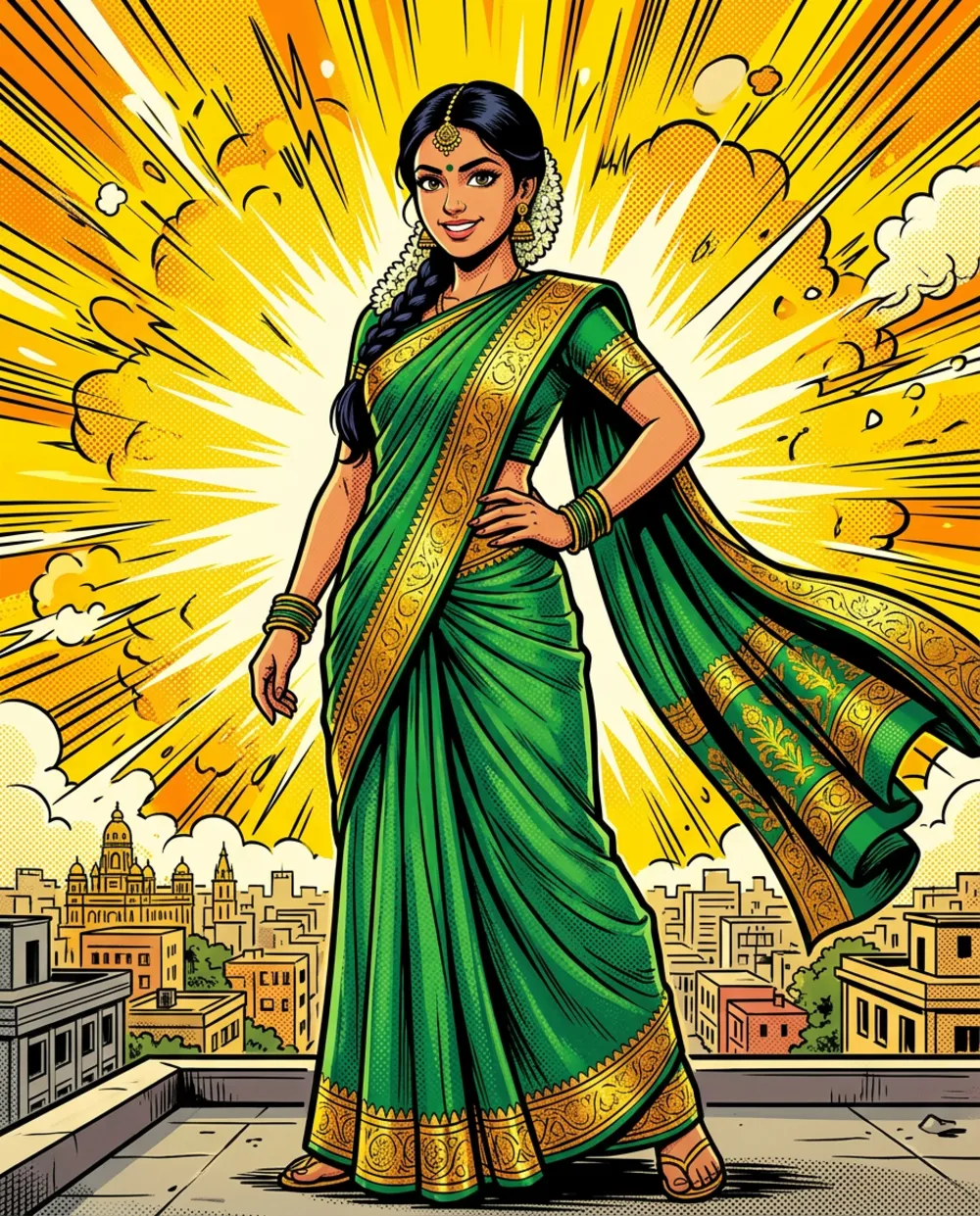
The saree border and jasmine held up because I named them. The yellow burst background gives the “cover” feeling without needing a title, which you can add later in Canva.
Example 2: Retro 1960s pop-art panel
This style uses very few colours, so it hides small face errors and feels deliberate. It is my favourite for men’s portraits and for landmark backgrounds.
Prompt used: Retro 1960s pop-art comic panel of a young Indian man in a white kurta standing before Mysuru Palace at dusk, Ben-Day dots, bold outlines, limited palette of red, yellow and blue, empty speech bubble. No text, no logos, no watermark.
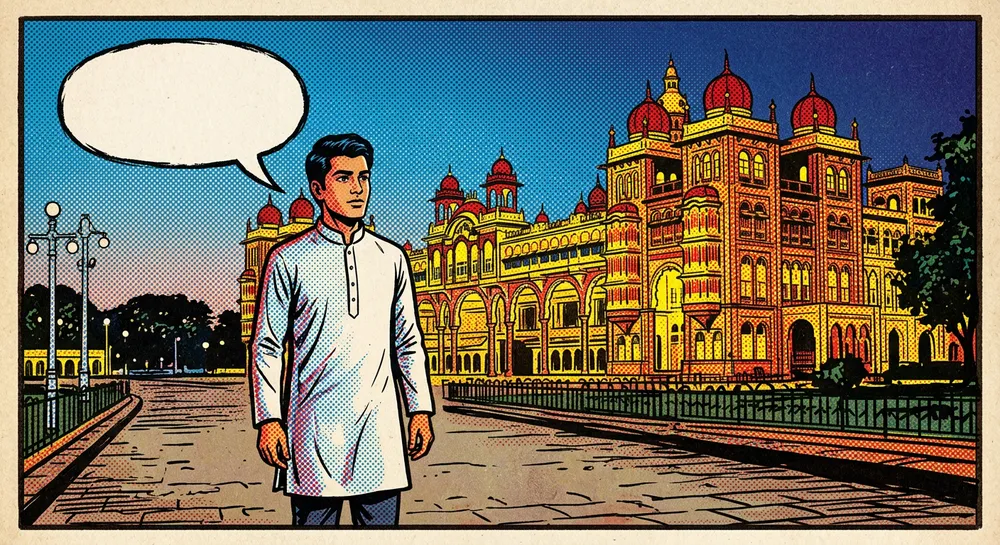
I asked for an empty speech bubble on purpose. You can type your own caption into it later, in any language, which solves the broken-text problem I describe in Kannada text on AI images.
Example 3: Modern graphic-novel travel scene
For a softer, more cinematic result, swap halftone dots for cel shading and a painted background.
Prompt used: Modern graphic-novel style illustration of a young Indian woman with a camera walking through the Hampi stone ruins at golden hour, cel shading, clean line art, painterly background, cinematic. No text, no logos, no watermark.
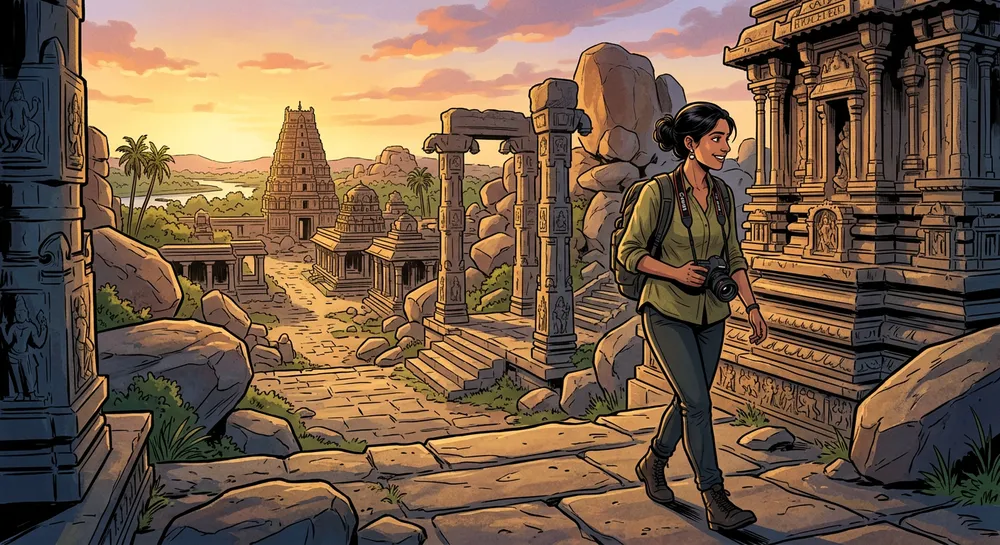
The stone carvings came out surprisingly detailed. One catch: tiny marks appeared on the camera strap even though I had banned text. Always zoom in before you post.
Halftone, pop-art or cel shading: which to choose
- Halftone cover style: best for portraits and profile pictures. Strong and punchy.
- Retro pop-art: best when the face is not perfect, and for posters with a landmark behind.
- Graphic-novel cel shading: best for travel and story scenes with a wide background.
If you like the travel angle, compare with my travel photo prompt, which aims for realism instead.
Adding your own caption after the image is ready
Because the prompt bans text, the panel comes out clean. That is a good thing, since AI lettering is the weakest part of every image model. You add words yourself in two minutes.
- Download the image and open it in Canva or any editor you like.
- Draw a white rounded rectangle over the empty speech bubble, or place a caption box at the bottom edge.
- Pick a bold comic-style font for English. For Kannada, choose a font that supports Kannada script, and check that the joined letters render properly before exporting.
- Keep the caption short, around six to eight words. A long sentence makes the bubble look crowded.
- Export as PNG for sharing, and as JPG if the file is too heavy for WhatsApp.
I tried a Kannada greeting in a speech bubble on the pop-art panel. It looked far better than anything I could get the model to write itself. A birthday or festival wish in a bubble also makes a nice status image.
Prompt pieces you can swap
Once the master prompt works, you rarely need to rewrite it. Change only one block:
- Background: Mysuru Palace, a temple gopuram, a Bengaluru street at night, a coffee estate in Coorg.
- Clothes: “white kurta with a red-yellow border”, “black blazer”, “cotton saree”.
- Mood: “heroic low-angle shot”, “calm smiling close-up”, “walking away, seen from behind”.
A low-angle shot gives the strongest superhero feel. A close-up keeps the face most accurate, because less of the body has to be invented.
Common mistakes with a Gemini comic book prompt
Random words appear in the picture
Say “no text, no lettering, no sound effects” and ask for an empty speech bubble if you want one. Add real text afterwards in an editor.
It looks like a smooth filter
Remove words like “beautiful” or “soft”. Add “thick black ink outlines” and “flat colours”. Ask for halftone dots by name.
The face no longer looks like you
Comic styles exaggerate features. Upload a front-facing, well-lit photo and write “keep the face recognisable, only stylise the lines and colours”.
Colours are muddy
Limit the palette. “Red, yellow and blue only” gives cleaner results than “colourful”.
Quick fixes after the first result
- Change one thing per message, for example “make the outlines thicker”.
- If the face drifts, upload the original photo again in the same chat.
- Save the winning prompt and only swap the background and clothes next time.
Image features and limits change often, so check the official Gemini image generation page for what your account gets.
FAQ
Can I use this for a profile picture?
Yes. The halftone cover style works well as a square crop. Just make sure the face is clear at small size.
Does it work without uploading a photo?
Yes, describe the person in words. The face will not match anyone, but the style results are the same.
Why are my outlines thin?
Say “thick black ink outlines” and mention “bold”. Thin lines usually come from words like “delicate” or “soft”.
Does the same prompt work in ChatGPT?
The structure of line, shading, palette and format works in other tools too. Wording may need small changes.
Wrap-up
Name the line, the shading and the palette, ban the text, and test one change at a time. Start with the retro pop-art panel if you want the safest result.