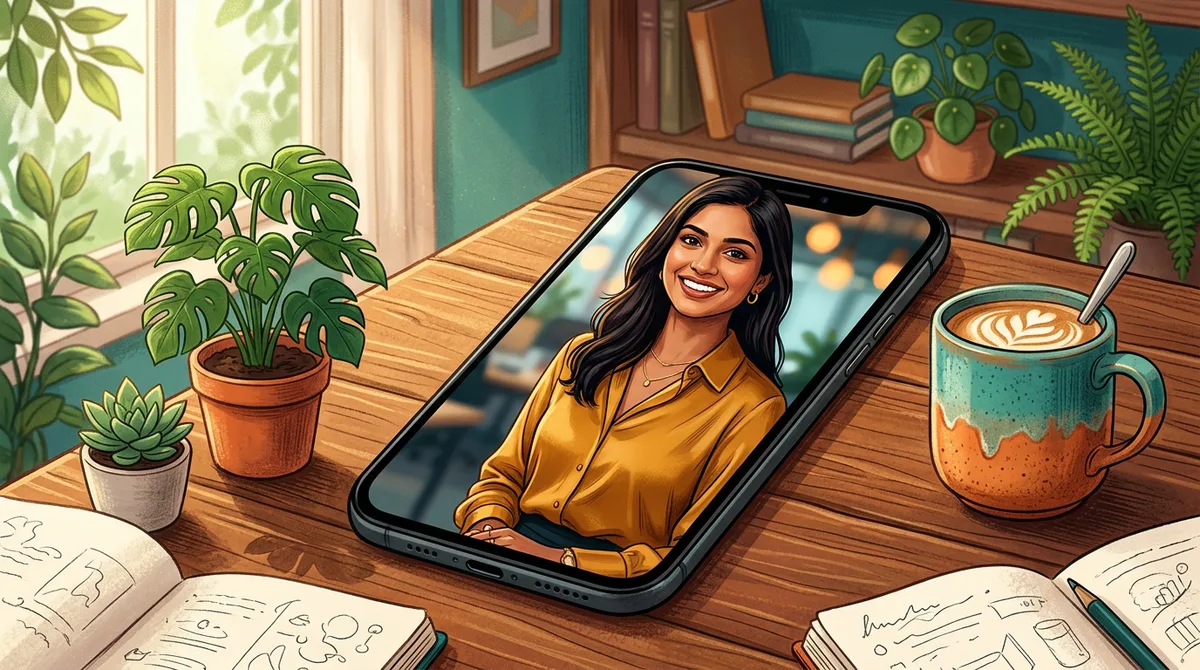
Most profile pictures are bad for the same boring reasons: a cropped group photo, a dark selfie, or a filter that makes your skin look like plastic. I wanted a Gemini profile photo prompt that gives a clean, believable result for three different jobs: a LinkedIn headshot, a casual Instagram DP and a creator photo for YouTube.
I ran one formula three times with small changes. Below are the exact prompts, the results, and what I changed when something looked off.
What a good Gemini profile photo prompt needs
A profile photo is tiny. It is shown at 100 pixels or less, so the face, the light and the background matter far more than fancy detail. That changes how you write the prompt.
- One person, centred, head and shoulders. Say “head and shoulders portrait”. Otherwise Gemini often gives you a full-body shot that crops badly into a circle.
- A plain, blurred background. Busy backgrounds turn into noise at small size. Name one simple place: a soft office, a cafe street, a grey wall.
- Light with a direction. “Soft window light from the left” gives the face shape. Without it you get flat, even light.
- A realism line. “85mm portrait lens look, natural skin, slight film grain” keeps the skin from turning glossy.
Google’s own tips say the model responds best to descriptive, conversational instructions, not keyword piles. You can read them on the Google Gemini blog.
The four-line formula I use
- Who and framing: “head and shoulders portrait of a young Indian man”.
- Clothes: one simple outfit, one colour.
- Background and light: one place, one light direction.
- Camera and exclusions: lens look, natural skin, “no text, no watermark”.
Skeleton: Head and shoulders portrait of [person] wearing [outfit], [simple background], [light], [lens] look, natural skin. No text, no watermark.
Prompt 1: LinkedIn headshot
For work profiles, people trust calm and plain. I kept the outfit dark, the background soft and the smile small.
Prompt: Realistic professional headshot of a young Indian man in a navy blazer and white shirt, soft window light from the left, blurred modern office background, 85mm portrait lens look, natural skin, slight smile. No text, no watermark.

The window light gave the face a gentle shadow on one side, which is what makes a headshot look photographed instead of generated. Check your company or platform rules first: some hiring sites ask for a real photo of you.
Prompt 2: casual Instagram or WhatsApp DP
Here I wanted warmth. Golden-hour light and a laugh make a DP feel candid. The cafe street keeps the colours lively without stealing attention from the face.
Prompt: Realistic casual profile photo of a young Indian woman in a simple mustard kurta, laughing, standing in a sunlit Bengaluru cafe street with a soft blurred background, golden hour light, 50mm lens look, natural skin. No text, no watermark.
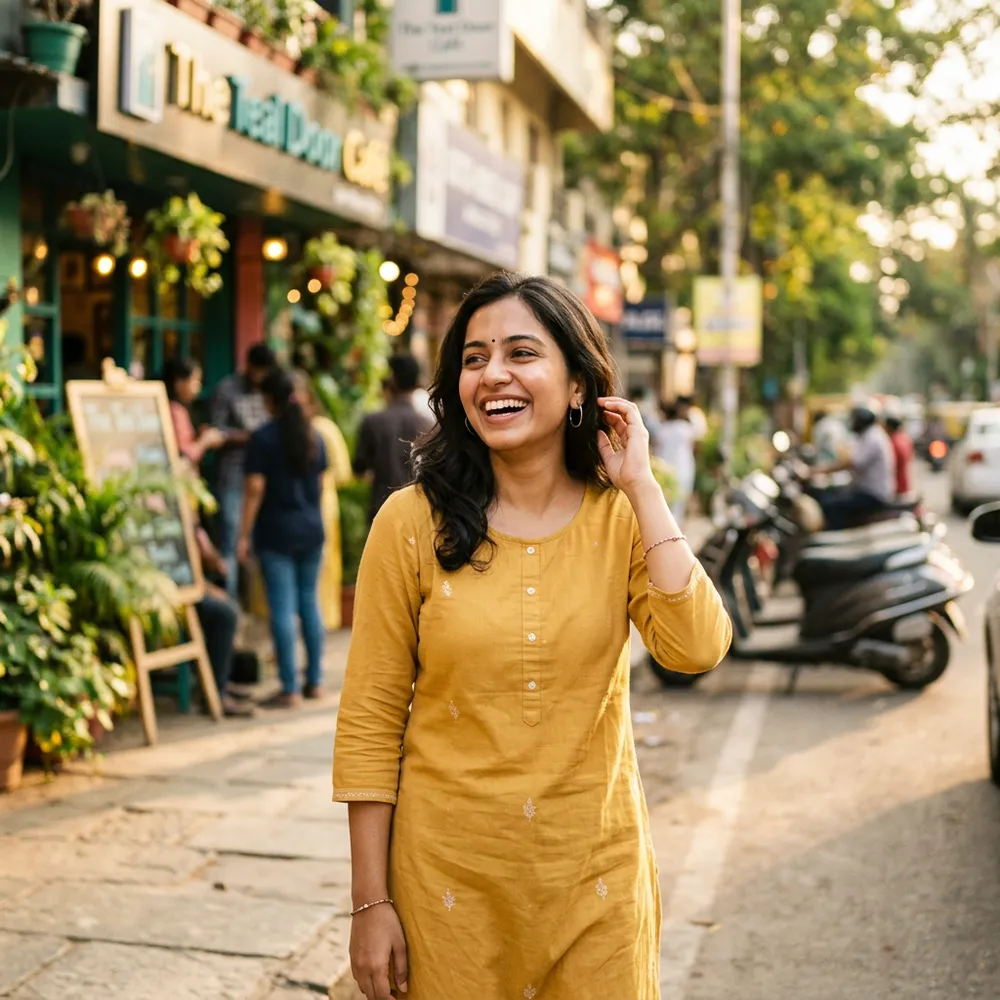
The mustard colour pops against green plants. If you want a festive version of this look, my Gemini saree photo prompt guide has fabric and drape wording you can drop in.
Prompt 3: creator photo for YouTube or a portfolio
Creators need a photo that says what they do. A camera in hand and a clean wall does that in one glance.
Prompt: Realistic creator profile photo of a young Indian man in a plain black t-shirt holding a mirrorless camera, standing against a clean warm grey studio wall, soft side light, 85mm lens look, natural skin, slight film grain. No text, no watermark.
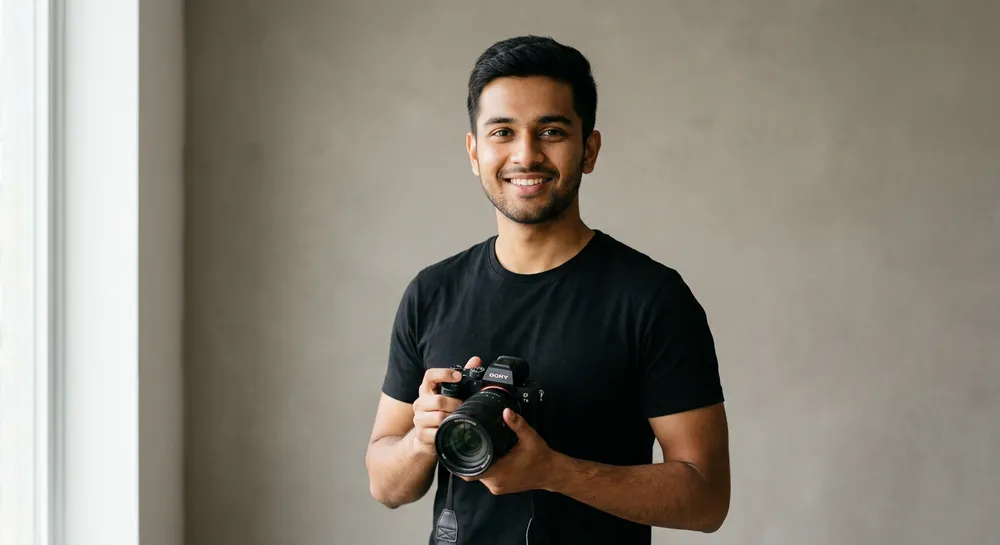
A plain wall is the safest background there is. It crops cleanly into a circle and never distracts.
Using your own face instead
If you want your actual face, upload a clear, front-facing photo and write: Keep my face, hair and expression exactly the same. Change only the background to a soft blurred office and fix the lighting to soft window light. If the face still drifts, read my guide on keeping your face the same in Gemini. For background-style ideas beyond offices, the temple photo prompt post shows how to describe a place precisely.
Wording swaps that changed the result
- “Soft window light” vs “studio flash”. Window light is gentler and more natural. Flash made skin shinier in my runs.
- “85mm” vs “35mm”. 85mm blurs the background and slims the face. 35mm shows more of the room and can look wide.
- “Slight film grain”. Removes the polished plastic look. Leave it out if you want a very clean corporate image.
- “Head and shoulders”. Fixes cropping problems almost every time.
Common mistakes with profile photo prompts
- Asking for “perfect skin”. It produces airbrushed faces. Ask for “natural skin” instead.
- Too many details. Three accessories, a pattern shirt and a busy room fight each other. Keep one outfit and one background.
- Forgetting the circle crop. Instagram and WhatsApp crop to a circle. Keep the face centred and leave space above the head.
- Using a fake person as “you”. If the image does not look like you, people feel tricked. Use your own photo for work profiles.
- Not saying it is AI. On sites that require disclosure, label it. Honesty costs nothing.
Quick fixes when the result is off
Send one follow-up instead of a new prompt. “Same image, make the lighting softer and remove the shine on the forehead” works well. “Make the background more blurred” also works. Change one thing per message, so you can see which edit helped.
How I check a result before using it
Before I set any generated photo as a DP, I run a quick three-step check. It takes a minute and saves a lot of embarrassment.
- Shrink it. Open the image and zoom out until it is about the size of a WhatsApp circle. If the face is not clear at that size, the framing is wrong.
- Look at the hands and ears. These are where AI images slip. Extra fingers, a missing earring or mismatched ears show up quickly when you look on purpose.
- Look for stray text. Background signboards often contain garbled letters. In my casual example, the cafe sign is blurred enough to pass, but I would crop tighter for a real profile.
I also generate three versions and pick the calmest one. The best DP is rarely the most dramatic. It is the one a friend would recognise in half a second.
FAQ
Can I use a Gemini profile photo on LinkedIn?
You can, but many people prefer a real photo for professional trust. A good middle path is to edit your own photo for light and background using the prompt above.
Why does my profile photo look plastic?
Usually the prompt asks for perfect or flawless skin. Use “natural skin, slight film grain” and a softer light.
Which size should I ask for?
Ask for a square 1:1 image. It fits Instagram, WhatsApp and most profile slots without awkward cropping.
Does it work in ChatGPT too?
Yes. The formula is plain English, so ChatGPT image generation follows it, though the look will differ a little.
A good Gemini profile photo prompt is short, specific and honest about what it is. Start with Prompt 1, change only the outfit and the light, and save the version you like.