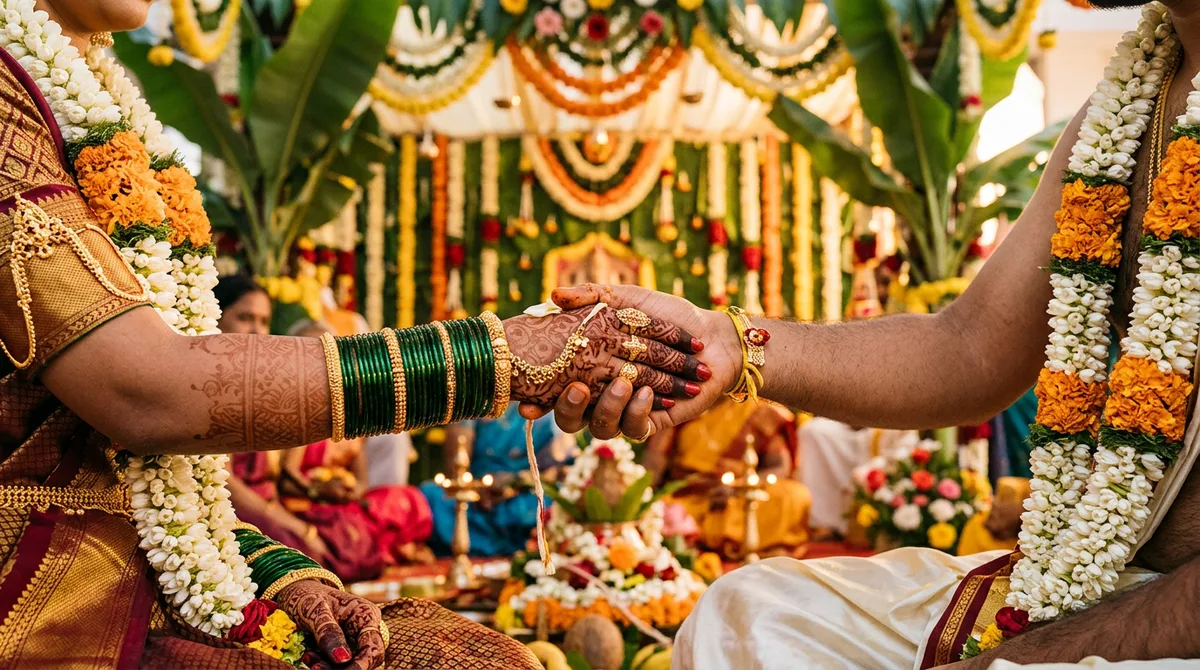
Wedding season in Karnataka means one thing for me: every cousin, neighbour and college friend suddenly wants a “Gemini photo” of the couple. I have been testing Kannada wedding AI photo prompts for a few weeks, and most of the free prompts you see online produce a generic North Indian look, with heavy red lehengas and sherwani. A Kannada wedding looks different, and the AI only gets it right when you describe it properly.
Below are the three prompts I actually ran, the images they gave, and the small wording fixes that mattered. The examples were generated from text only, without a reference photo, so with your own upload the faces will follow your photo and the rest will vary a little.
What Kannada wedding AI photo prompts must describe
A Kannada wedding is easy to recognise: green or maroon Mysore silk with a gold zari border, jasmine in the hair, a cream veshti with a red-gold border for the groom, banana stems and marigold garlands on the mandap. If you write only “Indian wedding couple”, the model fills the gap with its most common guess, which is a red lehenga.
So name the details. This is the same formula I explained in my guide to writing AI image prompts: subject, clothing, place, light, and what must stay unchanged. For weddings, clothing and decoration do most of the work.
Words that make the look Karnataka, not generic
- Saree: “Mysore silk saree, deep green, gold zari border”. Plain “silk saree” often gives a shiny Banarasi finish.
- Groom: “cream silk veshti with red-gold border and angavastra”. Write “veshti”, not “dhoti kurta”, or you get a Punjabi-style outfit.
- Hair and jewellery: “jasmine flowers in the hair, gold temple jewellery, green glass bangles”.
- Decoration: “banana stems, marigold and jasmine garlands, brass lamps”. This one line changes the whole background.
- Light: “soft warm light on both faces”. If you skip this, the couple often gets two different lighting setups.
Prompt 1: Mandap couple portrait
Upload one clear photo with both faces, front-facing and well lit, then paste this in Gemini.
Use the uploaded photo as the exact identity reference for both people. Create a 4:5 vertical wedding portrait: the bride in a deep green Mysore silk saree with a gold zari border, jasmine in her hair, gold temple jewellery; the groom in a cream silk veshti and angavastra with a red-gold border. They stand hand in hand under a wedding mandap decorated with banana stems and marigold garlands. Soft warm light on both faces, natural skin texture, realistic fabric. Keep both faces, expressions and heights unchanged. No text, no logos.
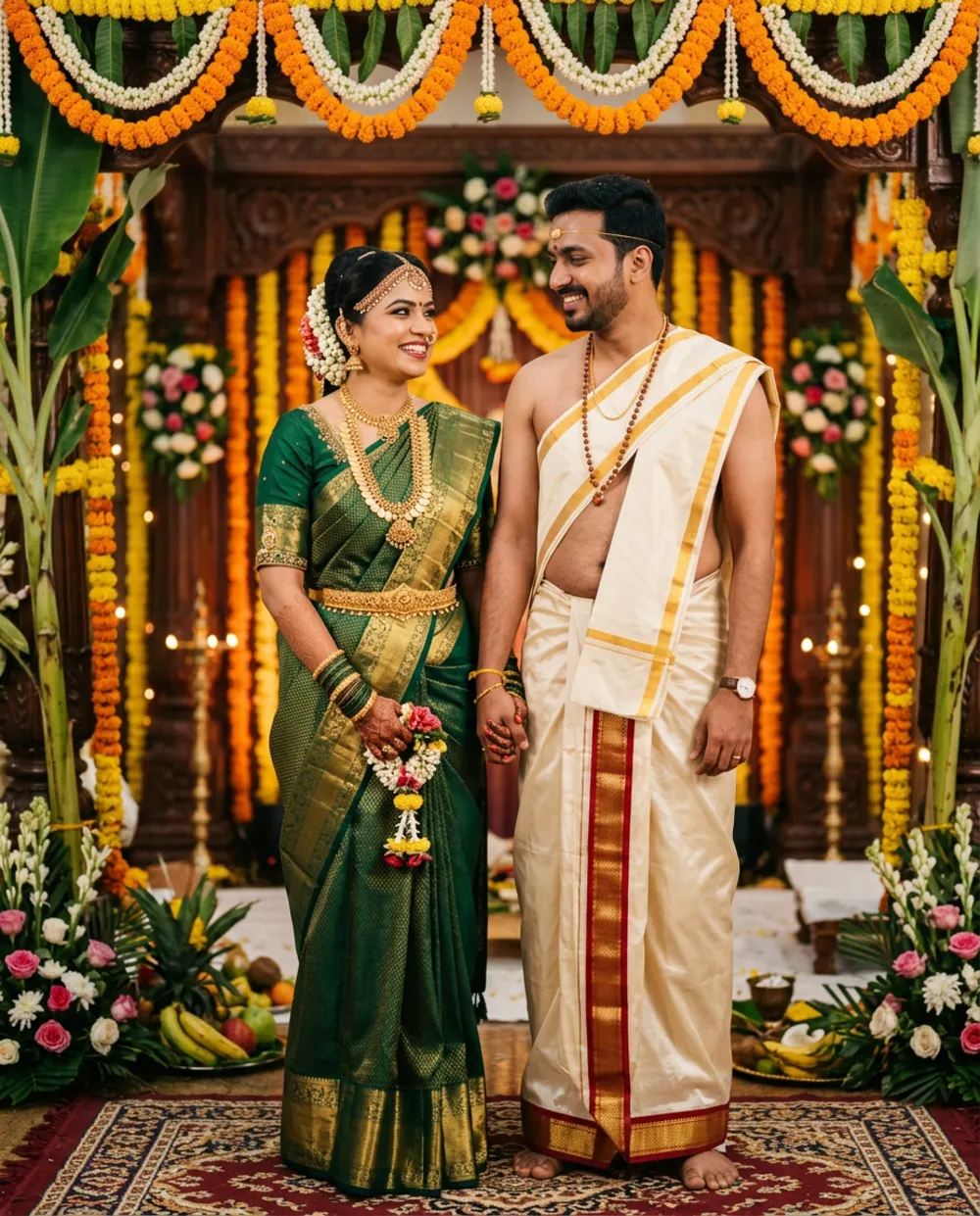
The sentence “exact identity reference for both people” matters when there are two faces. Without it, Gemini tends to keep the first face well and quietly change the second one.
Prompt 2: Pre-wedding shoot at a Hoysala-style temple
Using the uploaded couple photo, create a candid pre-wedding portrait at a Karnataka stone temple courtyard at sunrise. She wears a maroon silk saree with a gold border, he wears a cream kurta with a maroon shawl. They walk hand in hand, soft golden backlight, shallow depth of field, realistic fabric and skin. Keep both faces and body proportions exactly as in my photo. No text, no watermark.
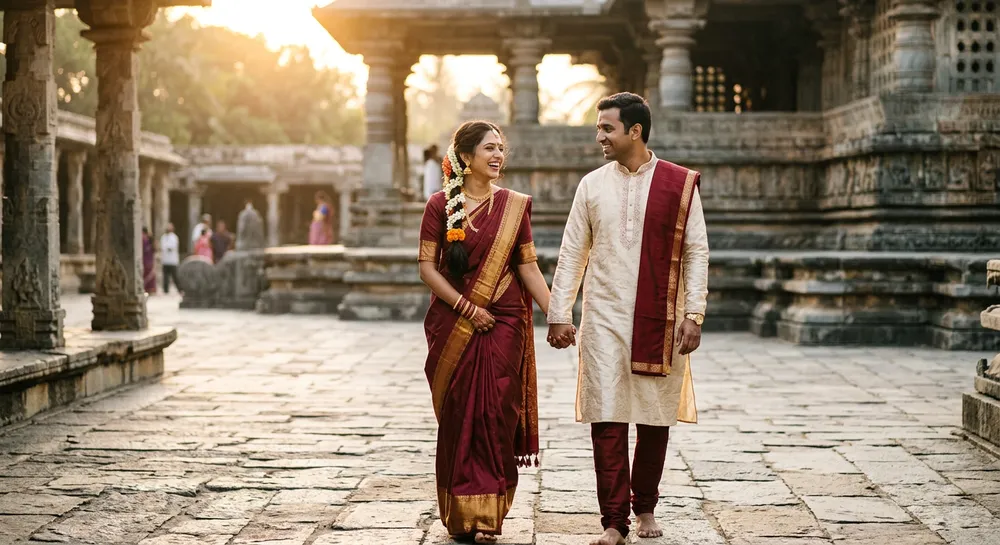
Stone temples are great for this because the straight pillars and warm stone keep the background calm, and the maroon saree stands out. I write “stone temple courtyard” rather than a named temple. Naming a real temple sometimes triggers a strange, wrong copy of its carvings. For other festival looks, see my Rajyotsava prompts.
Prompt 3: Detail shot for invitations and reels
A close-up wedding detail photo: the bride's mehendi hands resting in the groom's hand with a gold ring, jasmine and marigold flowers and a Mysore silk saree border in the foreground. Soft window light, shallow depth of field, photorealistic. No faces, no text, no watermark.
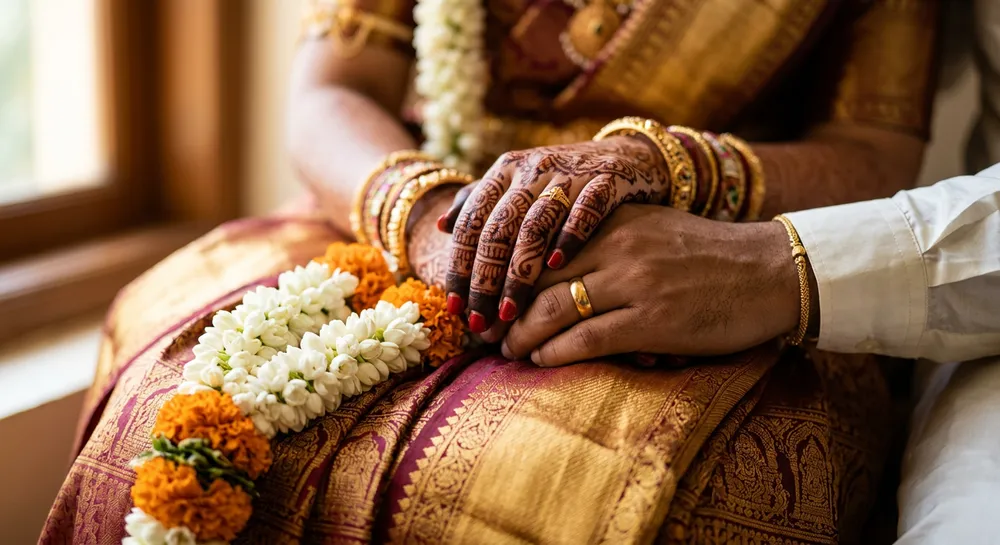
This one needs no upload, which makes it the safest of the three. I use detail shots as backgrounds for invitation cards and as the first frame of a wedding reel. Check the fingers: if a hand has six fingers, regenerate once and add “five fingers on each hand, correct anatomy”.
Which Gemini model are you actually using?
Google began rolling out Nano Banana 2.1 on 6 October 2026. According to the official Gemini API page, it improves visual quality, prompt adherence and character consistency across turns, and supports up to 14 reference images. In the free Gemini app the rollout may not have reached your account yet, so your results can differ from mine.
The 14-reference-image support is useful for weddings: you can upload the bride, the groom and an outfit picture and call them “image 1”, “image 2” and “image 3” in the prompt. I have not tested that setup enough to promise results, so try it on a spare photo first.
How I tested these prompts
I ran each prompt several times and kept the first usable result, not the luckiest one. Prompt 1 needed the “veshti” fix after my first try gave the groom a kurta. Prompt 2 was fine on the first run. Prompt 3 produced one image with a strange thumb, so I regenerated it.
My rule is simple: if two runs in a row go wrong in the same way, the prompt is the problem, not the model. Change one phrase, run again, and note what changed. That small habit saves more time than hunting for new prompts.
Common mistakes with wedding photo prompts
- Asking for too many changes at once. Outfit, background, jewellery and pose in one go makes faces drift. Change the outfit first, then the background in a follow-up message.
- Skipping the “keep unchanged” line. The model may smooth the skin or change the age. Always say what must stay.
- Using a dark or side-angle photo. A clear, front-facing photo with even light gives the best identity match.
- Editing people without permission. Use only photos of people who agreed, and never add a person who was not at the wedding. Gemini also marks its images with an invisible watermark, so do not pass AI edits off as real photos.
- Trusting the text in the image. Even good models can misspell Kannada. Add names and dates later in Canva or your editor.
Quick checklist before you share
- Zoom in on both faces and compare with your original.
- Check hands, rings and bangles.
- Look at the saree border: it should run straight and not melt into the background.
- If the photo is an old family one, try the method in my old photo restoration guide first.
Frequently asked questions
Can I use these Kannada wedding AI photo prompts in ChatGPT?
Yes. The prompts are plain text, so they work in ChatGPT too. The wording for “keep faces unchanged” stays the same, though the results will look a little different.
Why does the groom get a North Indian outfit?
Because “dhoti” or “traditional” is too vague. Write “cream silk veshti with red-gold border and angavastra” and add “not a sherwani”.
Do I need a paid Gemini plan?
No, the free app can edit photos, but limits and the model version depend on your account and may change.
Is it okay to post these on Instagram?
Yes, if everyone in the photo agreed, and I suggest saying in the caption that it is AI-edited.
Try Prompt 1 with your own couple photo, and compare it with Prompt 2 to see which scene suits your face and light better.